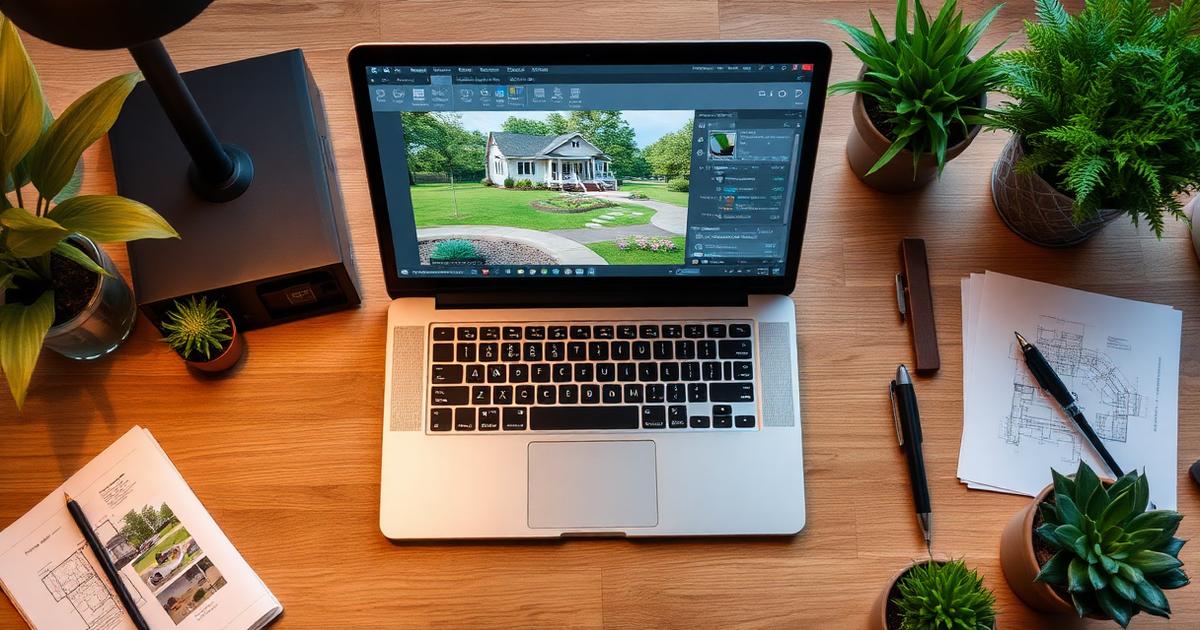
What Is AI Landscape Design from Photo?
AI landscape design from photo is a technology that takes a photograph of your existing yard — front, back, or side — and uses artificial intelligence to generate realistic redesign concepts. Instead of hiring a landscape architect for thousands of dollars or spending hours with complex 3D modeling software, you simply snap a photo and let the AI do the heavy lifting.
The process works by analyzing key elements in your photo: the shape of your lot, existing structures (house, fence, driveway), trees and plants, hardscape features, and lighting conditions. The AI then applies design principles, plant knowledge, and style preferences to create a new vision for your space that looks remarkably realistic.
This technology has democratized landscape design. What once required a $3,000–$10,000 consultation with a professional designer can now be explored in minutes from your phone. And while AI-generated designs aren't construction-ready blueprints, they serve as powerful visualization tools that help you make confident decisions about your outdoor space.
How to Take the Perfect Photo for AI Design
The quality of your AI-generated design depends heavily on the quality of your input photo. Here are the essential tips for capturing images that produce the best results:
Lighting Matters Most
Shoot during the "golden hours" — early morning or late afternoon — when natural light is soft and even. Avoid harsh midday sun that creates deep shadows and blown-out highlights. Overcast days actually work well because the diffused light reveals more detail in both dark and bright areas of your yard.
Angle and Composition
Stand at the vantage point where you most often view your yard. For front yards, this is typically from the street or sidewalk. For backyards, stand at your back door or patio. Hold the camera at eye level and try to capture the full width of the area you want to redesign.
What to Include in Your Photo
- The full area you want redesigned — don't crop too tightly
- Your house facade (for front yard designs) — this helps AI match the architectural style
- Existing hardscape — driveways, walkways, patios, retaining walls
- Mature trees you want to keep — mark these mentally or in your prompt
- Property boundaries — fences, hedges, property lines
What to Avoid
- Cars parked in driveways (they confuse the AI)
- Temporary items like trash bins, garden hoses, or toys
- Heavy filters or HDR effects — keep the photo natural
- Extreme wide-angle distortion from phone lenses
Step-by-Step: Using AI to Redesign Your Yard
Step 1: Upload Your Photo
Navigate to the AI landscape design tool and upload your yard photo. Most tools accept JPEG or PNG files. Higher resolution photos (at least 1200px wide) produce better results because the AI has more detail to work with.
Step 2: Choose Your Design Style
Select from available styles that match your vision. Common options include:
- Modern/Contemporary — clean lines, geometric shapes, minimalist plantings
- Mediterranean — warm tones, gravel paths, drought-tolerant plants, terracotta accents
- Cottage Garden — romantic, overflowing borders, mixed perennials, informal paths
- Japanese Zen — minimalist, intentional placement, water features, moss and gravel
- Tropical — lush foliage, bold colors, layered canopy, exotic plants
- Desert/Xeriscape — succulents, rocks, minimal water usage, native plants
Step 3: Add Specific Requests
Most AI tools allow you to add text prompts or select specific features. Be specific about what you want: "Add a curved stone pathway to the front door," "Include a pergola over the patio," or "Use only drought-tolerant plants." The more specific your input, the more tailored your results.
Step 4: Generate and Compare
Generate multiple design variations. Don't settle for the first result — create 3–5 different options to compare. Save your favorites and look at them side by side to identify which elements resonate with you.
Step 5: Refine Your Design
Use the best result as a starting point and iterate. Adjust the style, change specific elements, or try hybrid approaches. Many users find their ideal design after 2–3 rounds of refinement.
Popular Design Styles and When to Use Them
Modern Minimalist
Best for: Contemporary homes, small lots, low-maintenance preferences. Modern designs use clean geometric shapes, limited plant palettes (often ornamental grasses and sculptural plants), and high-quality hardscape materials like poured concrete, Corten steel, and composite decking. The key principle is "less is more" — every element serves a purpose.
Traditional English Garden
Best for: Colonial, Victorian, or Craftsman-style homes with adequate space. English gardens feature layered perennial borders, formal structure softened by abundant plantings, manicured lawns, and classic elements like arbors, birdbaths, and stone walls. They require more maintenance but create a timeless, romantic atmosphere.
Mediterranean Escape
Best for: Warm climates, stucco homes, water-conscious homeowners. This style embraces the beauty of drought-tolerant plants like lavender, rosemary, and olive trees combined with gravel pathways, terracotta pots, and warm stone. It's both water-efficient and visually stunning.
Tropical Paradise
Best for: Warm, humid climates (zones 9–11) or sheltered microclimates. Tropical designs create lush, layered landscapes with bold foliage, vibrant flowers, and exotic textures. Key plants include palms, bird of paradise, hibiscus, and banana plants. Even in cooler climates, you can achieve a tropical feel with hardy substitutes.
From AI Design to Real Yard: Implementation Guide
An AI-generated design is a visualization tool, not a construction document. Here's how to bridge the gap between your AI concept and a finished landscape:
1. Identify Key Elements
Break down your AI design into categories: plants, hardscape, structures, and accessories. List everything you see in the rendered image and research real-world equivalents.
2. Create a Priority List
You don't have to do everything at once. Prioritize based on impact and budget:
- Phase 1 — Hardscape foundation (pathways, patios, retaining walls)
- Phase 2 — Major plantings (trees, large shrubs, hedges)
- Phase 3 — Detail plantings (perennials, ground covers, annuals)
- Phase 4 — Finishing touches (lighting, furniture, decorative elements)
3. Get Professional Input
Share your AI design with a local landscaper or garden center. They can help you select plants that thrive in your specific climate zone, soil type, and sun exposure. The AI design serves as an excellent communication tool — it shows the landscaper exactly what you envision.
4. Budget Realistically
A typical front yard renovation costs $5,000–$15,000 for professional installation. DIY projects can be done for $1,000–$5,000 depending on scope. Having an AI design helps you get accurate quotes because contractors can see exactly what you want.
Common Mistakes to Avoid
- Ignoring your climate zone — AI may suggest plants that don't survive in your area. Always verify plant hardiness.
- Forgetting about maintenance — A beautiful design is only sustainable if you can maintain it. Be honest about how much time you'll spend on upkeep.
- Overlooking drainage — AI doesn't know your soil drainage patterns. Ensure any design accounts for water flow.
- Skipping soil preparation — The best plants in the wrong soil will fail. Test and amend your soil before planting.
- Planting too densely — AI renders show mature plantings. Give new plants room to grow to their full size.
Cost Comparison: AI Design vs. Traditional Design
| Service | Traditional | AI-Powered |
|---|---|---|
| Initial consultation | $200–$500 | Free–$30 |
| Concept design | $1,000–$3,000 | $0–$50 |
| Design revisions | $200–$500 each | Unlimited |
| Timeline | 2–4 weeks | Minutes |
| Total design cost | $1,500–$5,000 | $0–$80 |
Ready to See Your Yard Transformed?
Upload a photo of your yard and get AI-generated design concepts in minutes. No design experience needed — just your imagination and a smartphone camera.