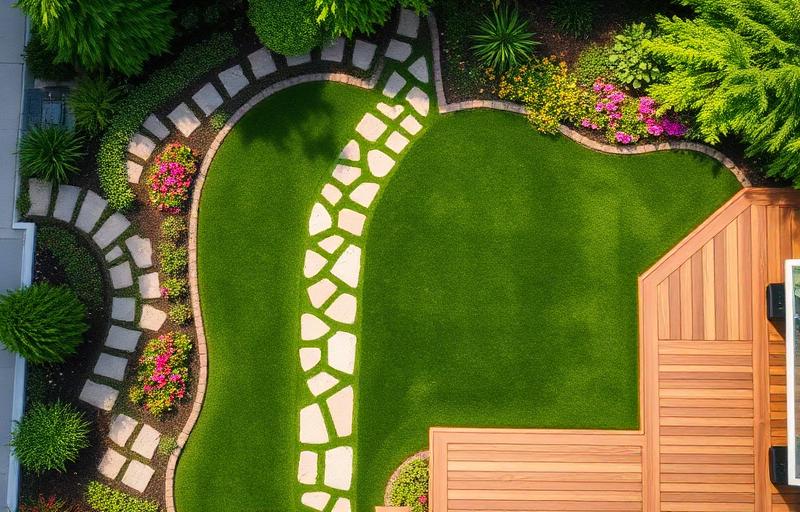
Key Takeaway: Several AI landscape design tools offer free tiers that let you visualize yard transformations without spending a dime. Understanding what's free vs. paid — and what each tool does best — helps you make the most of these powerful resources.
The AI Landscape Design Landscape (No Pun Intended)
The market for AI-powered landscape design tools has exploded in the past two years. What was once a niche technology is now accessible to any homeowner with a smartphone. But with dozens of tools claiming AI capabilities, it's hard to know which ones actually deliver — especially when you're looking for free options.
The reality is that truly free, unlimited AI landscape design doesn't exist (the AI processing costs real money). However, many tools offer generous free tiers that let you generate enough designs to plan your project. Here's an honest breakdown of what's available and what you can realistically expect to accomplish without paying.
What AI Landscape Design Tools Actually Do
Before evaluating specific tools, let's clarify what AI landscape design tools can and can't do:
What They Can Do
Style transformation — Show your existing yard redesigned in different landscape styles (modern, cottage, Mediterranean, etc.)
Element addition — Add specific features like pathways, patios, water features, plantings, and structures
Seasonal visualization — Show how designs might look in different seasons
Before/after comparison — Side-by-side views of your current yard vs. proposed design
Rapid iteration — Generate multiple variations quickly for comparison
What They Can't Do
Construction-ready plans — No measurements, material specifications, or grading plans
Plant identification — AI may suggest plants that look good but aren't appropriate for your climate
Cost estimation — No reliable budgeting based on AI-generated images
Engineering — No structural analysis for retaining walls, drainage, or irrigation
Permit compliance — No awareness of local building codes or HOA rules
Reality Check: AI landscape design tools are visualization and inspiration tools, not professional design services. They're the digital equivalent of sketching ideas on a napkin — incredibly useful for exploring possibilities and communicating your vision, but not a replacement for professional expertise when you're ready to build.
Types of AI Landscape Tools
Photo-to-Render Tools
These are the most popular category. You upload a photo of your yard, select a style or describe what you want, and the AI generates a realistic rendering showing your yard transformed. The best tools preserve recognizable elements (your house, existing trees, property boundaries) while replacing the landscape design.
Text-to-Image Generators
General-purpose AI image generators (like those based on Stable Diffusion or DALL-E) can create landscape designs from text descriptions. However, they don't work from your actual yard photo — they generate generic landscapes. These are useful for style exploration and mood boards but less practical for specific yard planning.
3D Planning Tools with AI
Some traditional landscape planning software has added AI features for plant suggestions, layout optimization, or style recommendations. These tools offer more precision (measurements, plant databases) but have steeper learning curves.
How to Maximize Free Tools
Prepare Before You Start
Free tiers typically limit the number of generations. Don't waste them on test shots. Before using any tool:
Take your best yard photos following the tips in our photography guide
Know which style you want to explore first
Have specific design requests ready (pathway to door, patio expansion, privacy hedge)
Understand the tool's interface by watching tutorials before generating
Use Multiple Tools
Different tools produce different results from the same photo. Use free generations across 2–3 tools to see varied interpretations of your yard. One tool might excel at modern designs while another produces better cottage garden results.
Save and Annotate Everything
Download and save every generation, even ones you don't love. Compile them into a design document with notes about what works and what doesn't. This collection becomes your design brief for either continuing the DIY planning or consulting with a professional.
Evaluating AI Design Quality
Signs of Good AI Output
Your house is recognizable — The AI preserved your home's architecture and color
Scale is realistic — Plants and features look proportionally correct
Ground meets structure properly — No floating plants or disconnected pathways
Consistent style — All elements feel like they belong in the same design
Realistic materials — Stone looks like stone, wood like wood, plants like plants
Signs of Poor AI Output
Uncanny valley plants — Foliage that looks blurry, repetitive, or unrealistic
Distorted architecture — Your house changed shape, color, or style
Floating elements — Features that don't connect to the ground or each other
Inconsistent lighting — Shadows going different directions or mismatched light sources
Over-idealization — Everything looks so perfect it's clearly artificial
From AI Concept to Actionable Plan
Step 1: Identify the "Wow" Elements
Look at your favorite AI generation and list the 3–5 elements that make it special. Maybe it's the curved pathway, the layered planting style, or the combination of gravel and stone. These are your design priorities.
Step 2: Research Real-World Equivalents
For each element, research real materials and plants that match:
What type of stone/paver matches the pathway shown?
What plants in your hardiness zone look like the ones in the rendering?
What materials achieve the texture/color shown for walls or borders?
Step 3: Create a Shopping List
Convert your design into a practical shopping list with quantities and estimated costs. Visit local suppliers to see materials in person — screen vs. digital color differences can be significant, especially for stone and gravel.
Step 4: Plan Your Installation Sequence
Order of operations for landscape installation:
Demolition and site clearing
Grading and drainage
Underground utilities (irrigation, lighting wire)
Hardscape installation (walls, patios, pathways)
Soil preparation and amendment
Tree and large shrub planting
Smaller plant installation
Mulching
Lighting fixture installation
Final touches (containers, accessories, furniture)
Budget Tip: Use free AI tools to generate 10+ design concepts before settling on a direction. This exploration phase would cost $2,000–$5,000 with a professional designer. With free AI tools, your only investment is time — and the resulting clarity saves money during every subsequent phase of your project.
The Future of AI Landscape Design
AI landscape tools are improving rapidly. Near-term developments include:
Climate-aware suggestions — AI that automatically selects plants appropriate for your hardiness zone
Cost estimation — Real-time budget calculations based on local material prices
Seasonal simulation — See your design in spring, summer, fall, and winter
Growth simulation — Watch your design mature over 1, 5, and 10 years
AR integration — View AI designs overlaid on your actual yard through your phone camera
Try AI Landscape Design Free
Upload a photo of your yard and see what AI can do. No design experience needed, no software to install — just your photo and your imagination.